











Manage Multiple Support Email Inboxes in One WordPress Dashboard
Whether you run one support address or separate mailboxes for billing, sales, and technical support, bring every email conversation into a single WP-Admin dashboard—with no extra fee for adding extra inboxes.
Core Features & Capabilities
entralize Every Department & Brand Mailbox Inside WordPress Stop juggling separate webmail tabs or paying extra tiers just to add another support address.

Unified Multi-Mailbox Dashboard

Zero Extra Fees per Inbox

Multi-Mailbox Email Fetching

Clean Department & Brand Separation

Works Seamlessly with Email Filtering & Signatures

100% Self-Hosted Data Ownership
Multi Inbox Comparison Matrix
Why Manage Multiple Inboxes in Metamint Helpdesk? Compare self-hosted multi-inbox management with traditional SaaS helpdesks
| Capability | Metamint Helpdesk (Multi Inbox) | Typical SaaS Helpdesks |
|---|---|---|
| Extra Inbox Cost | $0 extra — unlimited inboxes included with the addon | Charged per inbox or restricted by plan tier |
| Agent Seat Limits | Unlimited support users included | Billed per agent per month |
| Admin Interface | One unified WP-Admin interface for chat & email tickets | Separate external web dashboard |
| Email Data Storage | Stored in your own WordPress database | Stored on third-party SaaS servers |
| Setup & Fetching | Multi-mailbox email fetching inside WordPress | External forwarding / OAuth setup |
Step-by-Step Setup
How to Set Up Multi Inbox in Metamint Helpdesk Connect multiple support email addresses to your WordPress helpdesk in minutes
Navigate to Metamint Helpdesk → Addons, ensure your Addons license is active, and toggle Multi Inbox to Active.
Go to Metamint Helpdesk → Settings → Multi Inbox in your WordPress dashboard.
Enter the mailbox credentials for each email address you want to fetch (support@, billing@, sales@, etc.).
Save your mailbox settings and verify that incoming messages from each address convert cleanly into tickets inside your unified dashboard.
Activate the Multi Inbox Addon
Navigate to Metamint Helpdesk → Addons, ensure your Addons license is active, and toggle Multi Inbox to Active.
Open Multi Inbox Settings
Go to Metamint Helpdesk → Settings → Multi Inbox in your WordPress dashboard.
Add Your Support Mailboxes
Enter the mailbox credentials for each email address you want to fetch (support@, billing@, sales@, etc.).
Verify Connection & Test Fetching
Save your mailbox settings and verify that incoming messages from each address convert cleanly into tickets inside your unified dashboard.
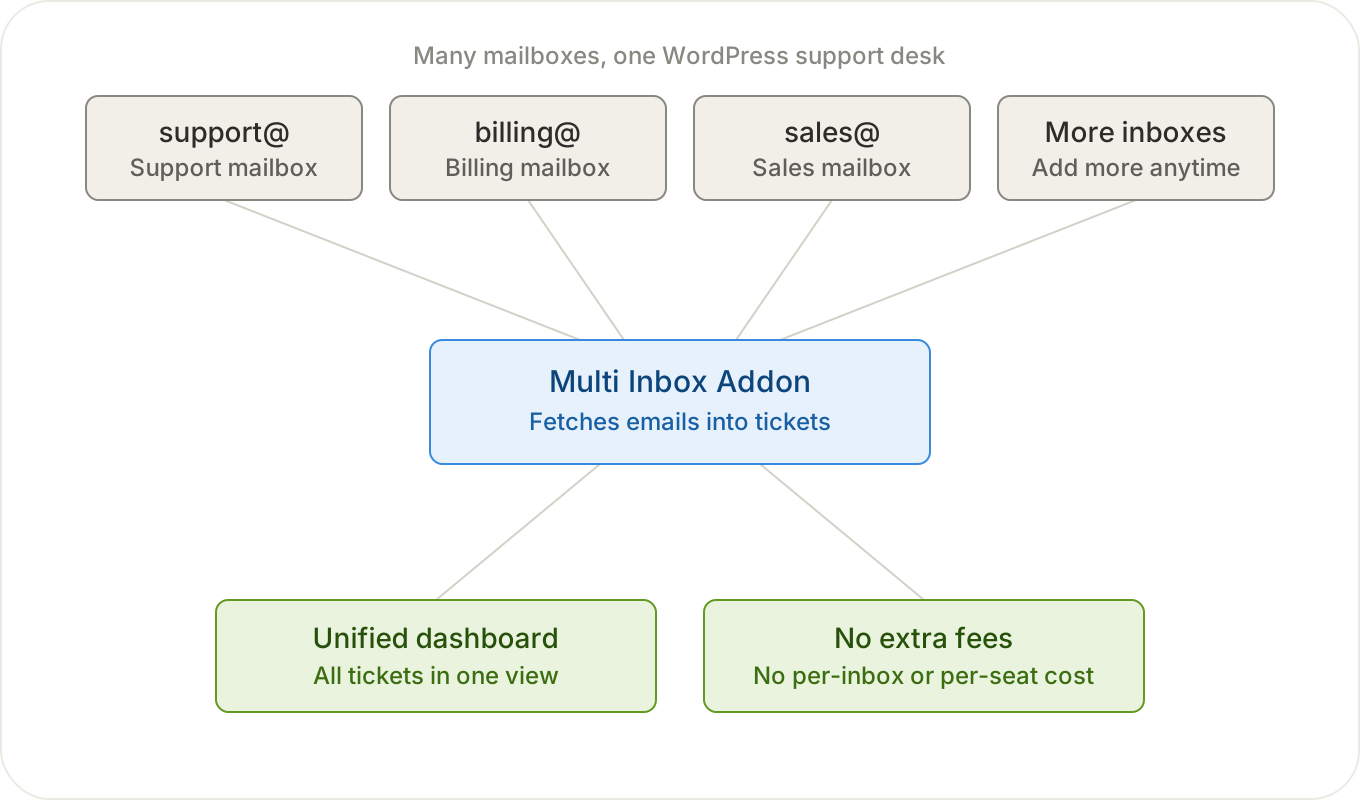
What is the Metamint Helpdesk Multi Inbox Addon?
Pricing
Simple, yearly, honest
No monthly drip. No per-seat surprises. Cancel anytime, keep the plugin forever.
Free
$0
- Live Chat Widget
- Email Piping
- Unlimited Customers
- FAQ
- Notices
- Unlimited Support Users
- Dashboard Notification
- One admin interface for chat and support tickets
Addon
$129.00 /yr from second yearFor growing portfolios
$50
- Everything on Free
- AI Bot🔥
- Bot conversation to Support Ticket
- ChatGPT Integration
- Gemini Integration
- WordPress 7.0 MCP ready
- Slack Integration
- Discord Integration
- Email Filter (blacklist)
- SMTP Configuration
- Signatures
- Canned Replies
- WooCommerce Integration🔥
- WhatsApp Integration🔥
- Multiple Inboxes🔥
- Any future addons released when you have an active license.
FAQ
Asked, answered
You can connect up to 3 independent IMAP inboxes, each with its own IMAP host, port, SSL/TLS encryption, credentials, and custom display label (such as Support, Sales, or Billing).
Each fetched email stores its origin inbox name, which is displayed in an Inbox column in the dashboard and conversations table as well as inside the individual ticket view.
When activated, the Multi-Inbox addon automatically migrates your legacy single-IMAP settings into Inbox #1 and seamlessly handles email fetching, reply threading, and deduplication across all configured inboxes.
Yes. Under Settings -> Fetch Tickets, you can configure the automatic fetch interval (in minutes), trigger manual fetches anytime, and set incoming email tickets to auto-assign to the least-loaded agent or a specific staff member.
You do not need to buy individual addons separately. A single Metamint Helpdesk Addons license purchase gives you full access to all addons—including Multi-Inbox—and you can simply activate the ones you want to use from your WordPress dashboard.