










Turn WhatsApp Business Conversations into WordPress Support Tickets
Connect your WhatsApp Business account directly to Metamint Helpdesk via the official Meta Cloud API. Receive customer messages as organized tickets, reply from WordPress, and automate greetings, away hours, and keyword responses—with zero per-seat SaaS fees.
Support Customers on Their Favorite Messaging App. Right from WP-Admin
Meet your customers where they already chat every day while keeping every conversation tracked, assigned, and searchable inside WordPress.

Two-Way WhatsApp Ticket Messaging

Smart Phone-Number Conversation Mapping

Built-In Auto-Reply & Greeting Bot

Keyword Triggers & Fallback Responses

Enterprise-Grade HMAC-SHA256 Security

Ticket Closure & Event Notifications
BUILT INTO WORDPRESS
Native Integration
Runs on your server. Reads your WooCommerce data. No API middleman. You have all the power.
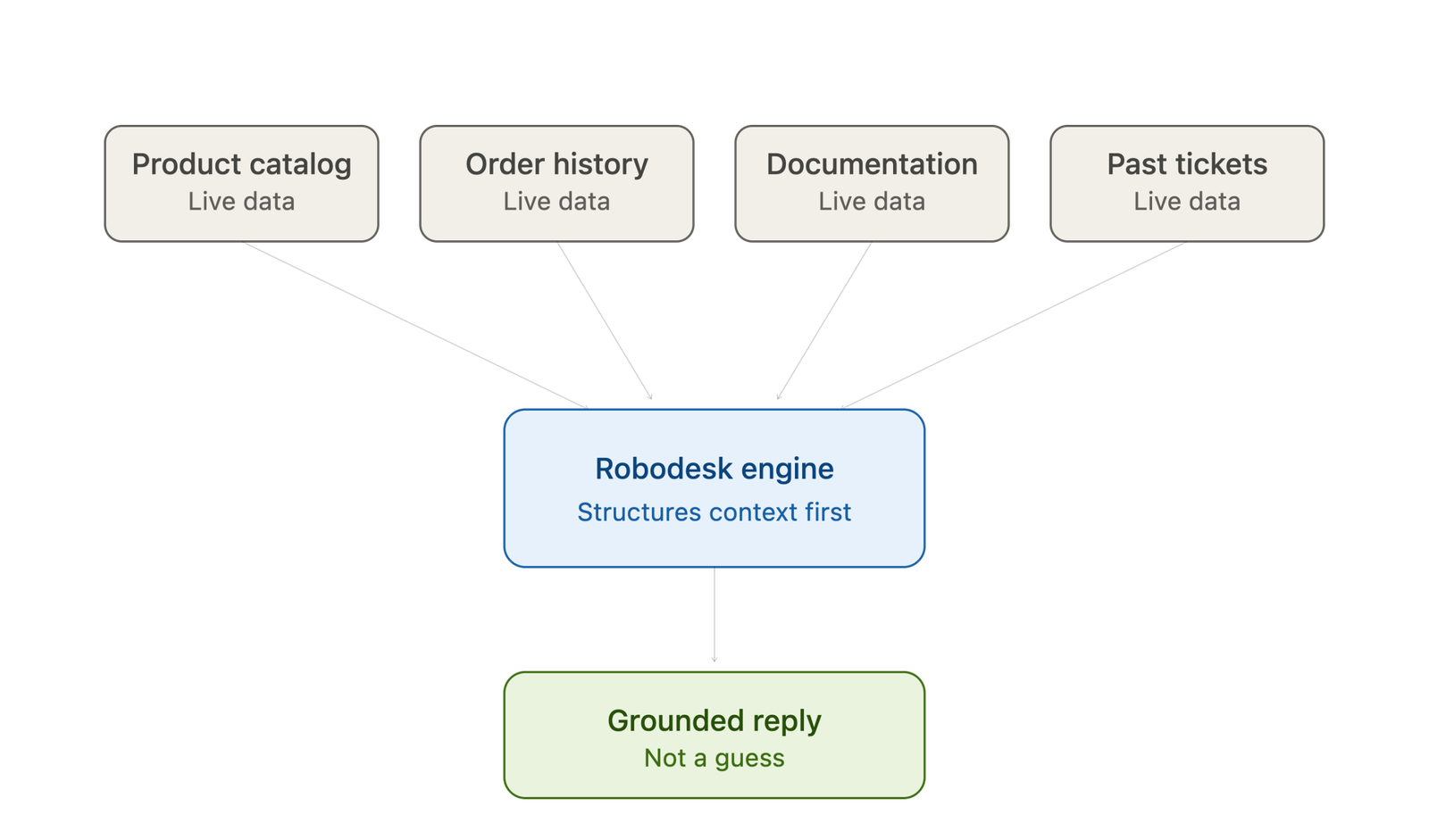
Instantly view a customer’s order history, subscription status, and license keys right beside their ticket — no API integration required, it’s native data access.
Metamint helpdesk trains on your documentation, FAQs, and past resolutions to answer routine customer questions automatically, 24/7.
When a ticket needs a human touch, Metamint helpdesk drafts a context-aware reply from the conversation history. Your agent reviews and sends with one click.
Publish FAQs and site-wide notices your AI agent and customers can both reference, cutting repeat tickets before they’re ever opened.
Your customer conversations live in your own database. Because Metamint helpdesk runs on your server, you control hosting, backups, and privacy compliance, not a third party.
Metamint helpdesk automatically categorizes incoming tickets, flags priority, and routes complex requests to the right agent. No manual sorting.
The WooCommerce u0026 Core Bridge
Instantly view a customer’s order history, subscription status, and license keys right beside their ticket — no API integration required, it’s native data access.
Autonomous AI Support Agent
Metamint helpdesk trains on your documentation, FAQs, and past resolutions to answer routine customer questions automatically, 24/7.
AI-Drafting for Human Agents
When a ticket needs a human touch, Metamint helpdesk drafts a context-aware reply from the conversation history. Your agent reviews and sends with one click.
Built-In Knowledge Base u0026 Notices
Publish FAQs and site-wide notices your AI agent and customers can both reference, cutting repeat tickets before they’re ever opened.
100% Data Ownership u0026 Sovereignty
Your customer conversations live in your own database. Because Metamint helpdesk runs on your server, you control hosting, backups, and privacy compliance, not a third party.
Smart Ticket Routing u0026 Triage
Metamint helpdesk automatically categorizes incoming tickets, flags priority, and routes complex requests to the right agent. No manual sorting.
The direct connection
What is the Metamint Helpdesk WhatsApp Integration Addon?
Pricing
Simple, yearly, honest
No monthly drip. No per-seat surprises. Cancel anytime, keep the plugin forever.
Free
$0
- Live Chat Widget
- Email Piping
- Unlimited Customers
- FAQ
- Notices
- Unlimited Support Users
- Dashboard Notification
- One admin interface for chat and support tickets
Addon
$129.00 /yr from second yearFor growing portfolios
$50
- Everything on Free
- AI Bot🔥
- Bot conversation to Support Ticket
- ChatGPT Integration
- Gemini Integration
- WordPress 7.0 MCP ready
- Slack Integration
- Discord Integration
- Email Filter (blacklist)
- SMTP Configuration
- Signatures
- Canned Replies
- WooCommerce Integration🔥
- WhatsApp Integration🔥
- Multiple Inboxes🔥
- Any future addons released when you have an active license.
You need a Meta Cloud API Access Token, Phone Number ID, WhatsApp Business Account ID, App Secret (for webhook signature verification), and a user-defined Verify Token from your Meta Developer Console. Configure the webhook URL in Meta to point to your site’s /wp-json/mmhd-whatsapp/v1/webhook endpoint and subscribe to the messages field.
When a customer sends a WhatsApp message, Metamint Helpdesk automatically creates a new ticket (or appends the message to an existing open ticket matched by the customer’s WhatsApp phone number). When an agent replies to the ticket in WordPress, the response is forwarded directly back to the customer on WhatsApp.
Yes. The REST webhook endpoint validates incoming POST requests by verifying the X-Hub-Signature-256 header using HMAC-SHA256 with your configured Meta App Secret, rejecting any requests with invalid signatures.
Yes. The WhatsApp addon includes built-in bot settings supporting a Greeting Message for new conversations, Away Hours with a custom Away Message outside business hours, Keyword Triggers for automated routing responses, and a Fallback Message when no keyword matches.
You do not need to buy individual addons separately. A single Metamint Helpdesk Addons license purchase gives you full access to all addons—including WhatsApp Integration—and you can simply activate the ones you want to use from your WordPress dashboard.
Deliver Fast, Personal Support on WhatsApp Directly from WordPress
Turn WhatsApp into a structured, trackable support channel with automated replies, business-hours routing, and seamless agent handoffs.
Get Metamint Helpdesk Addons