














Add Customizable, On-Brand Signatures to Every Ticket Reply
Give every support response a polished, professional finish. Configure customizable signatures inside Metamint Helpdesk so your team never has to type sign-offs, contact details, or helpful links manually.
Core Features & Capabilities
Professionalize Every Customer Reply Without Repetitive Typing Small formatting details build customer trust—especially when multiple agents respond across email piping and ticket threads.

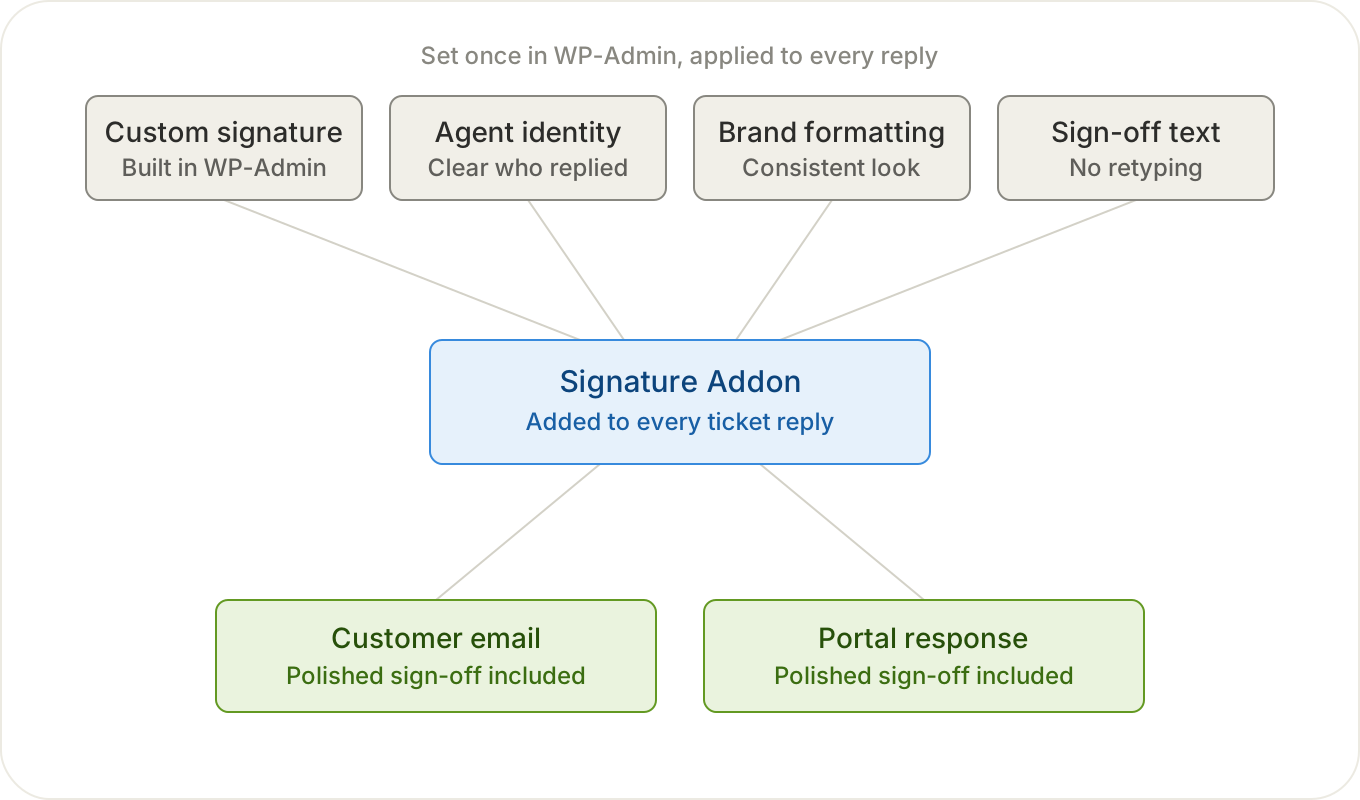
Customizable Reply Signatures

Consistent Brand Presentation

Saves Agent Time on Every Reply

Seamless Email & Ticket Compatibility

Works Alongside Canned Replies
How Ticket Signatures Improve Your Support Workflow
See how standardized signatures streamline daily support operations inside WordPress:
| Benefit Area | Without Standardized Signatures | With Metamint Helpdesk Signature Addon |
|---|---|---|
| Brand Consistency | Agents format sign-offs differently across replies | Uniform, professional sign-offs on every ticket reply |
| Reply Speed | Agents manually type closings and contact info | Ready-to-use customizable signatures save time on every response |
| Multi-Inbox Clarity | Customers receive inconsistent closing details across brands/departments | Clear, structured sign-offs aligned with your support workflow |
| Administration | No centralized signature management in WP-Admin | Configured and managed directly inside Metamint Helpdesk |
Step-by-Step Setup
How to Set Up Signatures in Metamint Helpdesk
Add professional signatures to your WordPress support replies in minutes:
Go to Metamint Helpdesk → Addons, ensure your Addons license is active, and toggle Signature to Active.
Navigate to Metamint Helpdesk → Settings → Signature inside your WordPress dashboard.
Enter and format your desired sign-off text, brand details, and links.
Save your settings—your customizable signature is ready to use on ticket replies across your helpdesk.
Activate the Signature Addon
Go to Metamint Helpdesk → Addons, ensure your Addons license is active, and toggle Signature to Active.
Open Signature Settings
Navigate to Metamint Helpdesk → Settings → Signature inside your WordPress dashboard.
Customize Your Signature
Enter and format your desired sign-off text, brand details, and links.
Save & Reply to Tickets
Save your settings—your customizable signature is ready to use on ticket replies across your helpdesk.
What is the Metamint Helpdesk Signature Addon?
Pricing
Simple, yearly, honest
No monthly drip. No per-seat surprises. Cancel anytime, keep the plugin forever.
Free
$0
- Live Chat Widget
- Email Piping
- Unlimited Customers
- FAQ
- Notices
- Unlimited Support Users
- Dashboard Notification
- One admin interface for chat and support tickets
Addon
$129.00 /yr from second yearFor growing portfolios
$50
- Everything on Free
- AI Bot🔥
- Bot conversation to Support Ticket
- ChatGPT Integration
- Gemini Integration
- WordPress 7.0 MCP ready
- Slack Integration
- Discord Integration
- Email Filter (blacklist)
- SMTP Configuration
- Signatures
- Canned Replies
- WooCommerce Integration🔥
- WhatsApp Integration🔥
- Multiple Inboxes🔥
- Any future addons released when you have an active license.
FAQ
Asked, answered
Activate the Signature addon under Metamint Helpdesk -> Addons, then go to Metamint Helpdesk -> Settings -> Signature. Enable the signature toggle, enter your default rich-text or HTML signature content, and choose whether signatures appear above or below ticket replies.
Yes. Each agent can set up a personal rich-text signature directly from their WordPress User Profile page (/wp-admin/profile.php). If an agent has a personal signature configured, it overrides the global default signature.
An Append Signature checkbox appears right below the reply editor in the ticket detail view. Checking this box automatically appends the agent’s personal signature (or the default signature if none is set) to the outgoing reply.
You do not need to buy individual addons separately. A single Metamint Helpdesk Addons license purchase gives you full access to all addons—including Signature—and you can simply activate the ones you want to use from your WordPress dashboard.
Give Every Support Reply a Polished, Professional Finish
Standardize your team’s ticket sign-offs inside WordPress with customizable signatures—included in your single Metamint Helpdesk Addons license.
Get Metamint Helpdesk Addons