












Answer Common Support Questions in Seconds with Saved Canned Replies
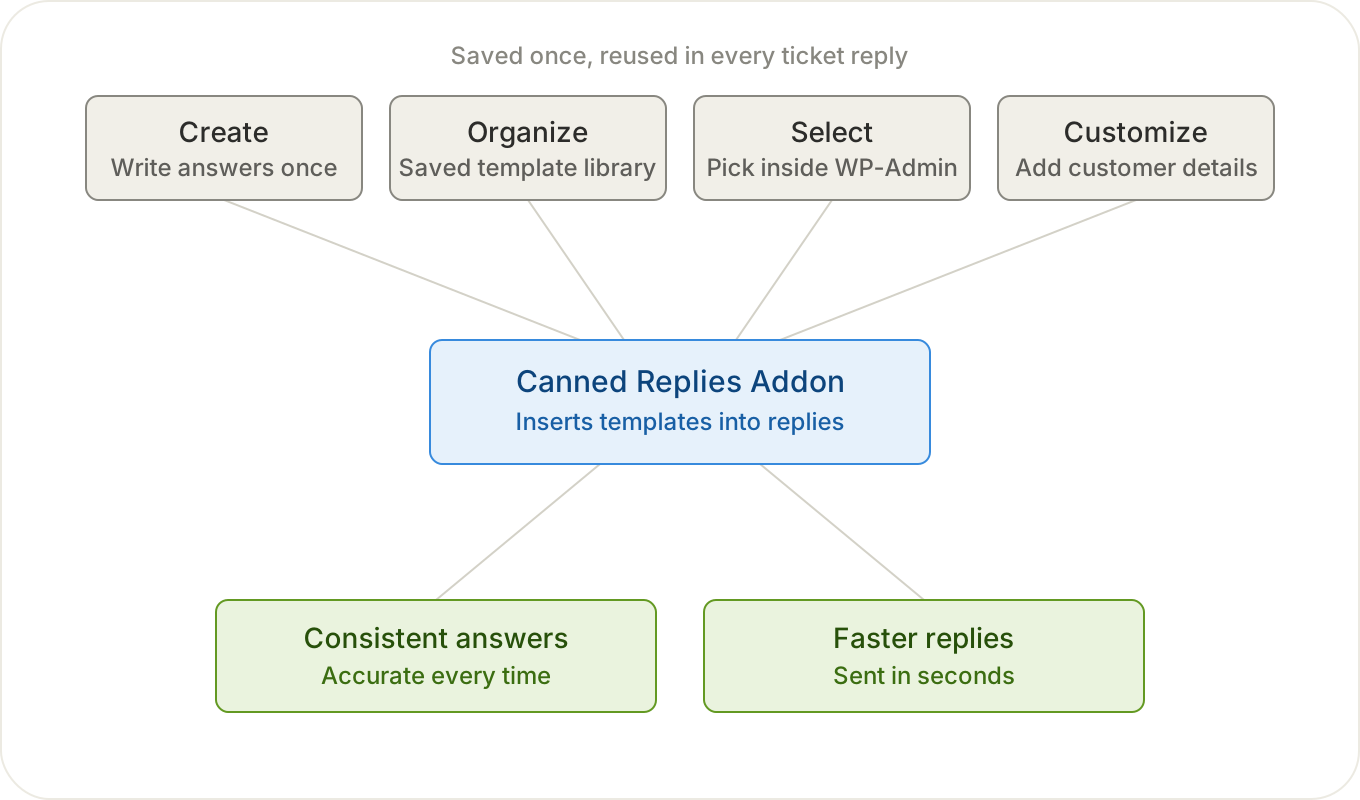
Stop retyping the same troubleshooting steps, refund instructions, and onboarding links over and over. Create and manage pre-saved reply templates directly inside WordPress so your team responds faster with zero typos.
Core Features & Capabilities
Cut Average Ticket Response Time Without Sacrificing Quality Every support desk receives recurring questions about setup, billing, shipping, and account access. Canned Replies turns your best answers into reusable templates across your entire team.

Centralized Saved Reply Library

One-Click Insertion Inside Tickets

Consistent, Error-Free Answers

Pairs Seamlessly with Signatures & AI

Unlimited Support Agents
Canned Replies Use-Case Matrix
Common Ways Support Teams Use Canned Replies Standardize your highest-volume support responses inside Metamint Helpdesk:
| Support Scenario | How Canned Replies Helps |
|---|---|
| Refund & Return Policies | Refund & Return Policies |
| Setup & Troubleshooting Steps | Provides step-by-step plugin, theme, or account configuration checklists without missing a step. |
| Order & Shipping Updates | Pairs with WooCommerce order insights to send fast status and tracking updates. |
| Feature Requests & Bug Triage | Acknowledges feedback consistently while setting clear expectations on next steps. |
How to Create & Use Canned Replies in Metamint Helpdesk Start saving and inserting reusable ticket templates in under two minutes:
Navigate to Metamint Helpdesk → Addons, ensure your Addons license is active, and toggle Canned Replies to Active.
Go to Metamint Helpdesk → Settings → Canned Replies (or your Canned Replies manager in WP-Admin) and add titles and response bodies for your most common questions.
Open a customer ticket in Metamint Helpdesk, choose your saved canned reply template, personalize any details if needed, and click send.
Activate the Canned Replies Addon
Navigate to Metamint Helpdesk → Addons, ensure your Addons license is active, and toggle Canned Replies to Active.
Create Your Saved Templates
Go to Metamint Helpdesk → Settings → Canned Replies (or your Canned Replies manager in WP-Admin) and add titles and response bodies for your most common questions.
Insert into Any Ticket Reply
Open a customer ticket in Metamint Helpdesk, choose your saved canned reply template, personalize any details if needed, and click send.
What is the Metamint Helpdesk Canned Replies Addon?
Pricing
Simple, yearly, honest
No monthly drip. No per-seat surprises. Cancel anytime, keep the plugin forever.
Free
$0
- Live Chat Widget
- Email Piping
- Unlimited Customers
- FAQ
- Notices
- Unlimited Support Users
- Dashboard Notification
- One admin interface for chat and support tickets
Addon
$129.00 /yr from second yearFor growing portfolios
$50
- Everything on Free
- AI Bot🔥
- Bot conversation to Support Ticket
- ChatGPT Integration
- Gemini Integration
- WordPress 7.0 MCP ready
- Slack Integration
- Discord Integration
- Email Filter (blacklist)
- SMTP Configuration
- Signatures
- Canned Replies
- WooCommerce Integration🔥
- WhatsApp Integration🔥
- Multiple Inboxes🔥
- Any future addons released when you have an active license.
FAQ
Asked, answered
No FAQs found.